Grouping With Packages
Key Concepts
It can be useful, particularly in larger systems, to have distinct logical groupings of classes1. These groups of classes are called packages.
The classes within a package all ‘fit together’ in some sense; typically, they are used together to implement a particular feature of the system, or they form a distinct architectural component of the system.
For example, you might have an application with one group of classes that
are used to provide a user interface, and another group of classes that
handle interaction with a database. You could put the first group of classes
in a package named myapp.ui and the second group in a package named
myapp.database.
Or you might organize things functionally, putting all the classes that
relate to placing an order for a product in the myapp.orders package, and
all the classes that relate to delivering the ordered product in the
myapp.delivery package.
A package constitutes a namespace for your code. Within that namespace, class names need to be unique, but the same constraint doesn’t apply across namespaces.
This can be useful in large projects, where different teams are working on different parts of a system. It may well happen that two teams happen to use the same name for different purposes. This would cause problems if all the code were part of a single namespace, but if the teams put their classes in differently-named packages then the problem disappears.
An Example From Java
The Java language ships with a huge standard library comprising thousands of classes. These are organized into a large number of packages.
The package java.util contains a class named Date, which
represents a date & time with millisecond precision. Another package,
java.sql, contains a different class that is also named Date,
representing a date retrieved from an SQL database.
These two classes are allowed to have different names because they reside in differently-named packages. If you ever needed to reference both classes from within the same file of source code, you could use the package names to distinguish between the two.
Packages in UML
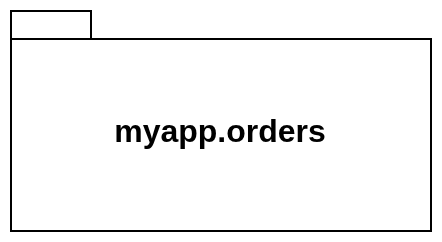
A package is represented in UML as a file folder, with a tab sticking out of one corner. If you are not interested in seeing the contents of a package, the package name can be displayed in the middle of the folder icon:
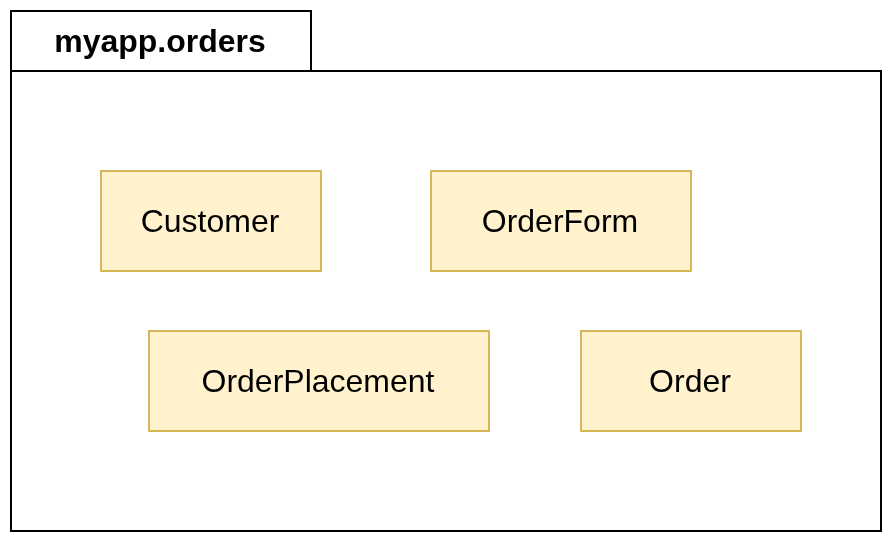
For more detail, you can put the package name in the tab and show the package contents inside the folder, either as a full class diagram or as a list of class names:
Packages in Kotlin
Putting Code in a Package
This is fairly straightforward. If you put a package declaration at the
top of a .kt file, all of the classes and functions defined within that
file will become part of the package that you have named in the declaration.
For example, to put class Customer in the package myapp.orders, you
would write
package myapp.orders

class Customer(val name: String, val email: String)
Package Naming Conventions
Package names generally have two or more elements, separated from each other by a period. Each element should use lowercase letters if possible, although a lower camel case naming style is permitted. Underscores should not be used.
In code intended for public release, it is advisable to make package names unique by incorporating a reversed domain name as a prefix.
Consider, for example, the Kotest libraries that you have already used for
unit testing. The website for Kotest is hosted at the domain kotest.io, and
all of the code in the libraries is organized into packages whose names
begin with io.kotest.
Implications For Project Organization
Package names affect where the output from the Kotlin compiler is stored.
Let’s experiment with this now.
-
Examine the file
Customer.kt, in thetasks/task14_1_1subdirectory of your repository. This file doesn’t have an explicit package declaration. The class defined in the file will be treated as if it were part of an unnamed ‘default package’. -
In a terminal window, compile the code using the command-line compiler:
kotlinc Customer.ktVerify that this has created a bytecode file named
Customer.class, in the same directory asCustomer.kt. Then remove this bytecode file. -
Edit
Customer.ktand add this line to the start of the file:package myapp.ordersInvoke the compiler again. Where is
Customer.classnow?
Note that it is customary to organize source code in a directory hierarchy that mirrors the package name.
So if you put a class into a package named myapp.orders, the .kt file
containing the class definition should ideally be located in the subdirectory
src/myapp/orders.
The Kotlin compiler doesn’t require this, but it is considered to be good practice.
You’ll have noticed that packages generally haven’t been used in the tasks and code samples that we’ve provided for you.
This has been done to keep things simple, and because the amount of code used in a task is generally very small, so there is not much benefit to be gained by putting functions and classes into packages.
In larger pieces of work—e.g., your Semester 2 group project—we will expect you to use packages or similar mechanisms to keep all of your code well organized.
-
We focus on classes here, but this idea of grouping applies equally to functions. ↩