Case Study Revisited
Let’s revisit the graphics application case study one final time, for a practical illustration of how interfaces can be useful.
Currently, Version 3 of the application has the ability to draw any kind
of shape, provided that it is implemented as a class that inherits from an
abstract superclass named Shape:
classDiagram
  Shape <|-- Circle
  Shape <|-- Rectangle
  class Shape {
    <<abstract>>
    x: Int
    y: Int
    col: Color
    draw(context: Graphics2D)*
  }
  class Circle {
    radius: Int
    draw(context: Graphics2D)
  }
  class Rectangle {
    width: Int
    height: Int
    draw(context: Graphics2D)
  }
Now imagine that we want to incorporate images into the pictures created by
the application. To help us achieve this, we will use an existing image
handling library that gives us a class named Bitmap. This can handle loading
bitmapped images from a file in any of the standard formats (PNG, JPG, etc).
We can create a subclass of Bitmap, with position properties and a
draw() method:
classDiagram
  Bitmap <|-- Image
  class Bitmap {
    filename: String
    width: Int
    height: Int
  }
  class Image {
    x: Int
    y: Int
    draw(context: Graphics2D)
  }
But now we have a problem.
The current version of the Picture class can draw pictures composed of
objects whose classes inherit from Shape. The Image class does not inherit
from Shape, and cannot be made to do so, because it already has a
superclass, and Kotlin does not support multiple inheritance.
Even if Kotlin did support multiple inheritance, it wouldn’t make any sense
for Image to inherit from Shape.
An image is not ‘a kind of shape’; it is a different kind of thing entirely.
Inheritance makes sense only in situations where there is a clear ‘is a kind of’ relationship between two classes.
Solution
An interface is the ideal solution to this problem.
Interfaces allow us to express the limited ways in which otherwise dissimilar
objects resemble each other. In this case, we have classes like Circle and
Rectangle, which are dissimilar from Image. The only behaviour that these
classes have in common is the ability to be drawn into a graphics context.
We can express this shared capability like so:
interface Drawable {
    fun draw(context: Graphics2D)
}
After introducing this interface into the application, we make Circle,
Rectangle and Image implement the interface, in addition to inheriting
from their respective superclasses. For example, Image now looks like
this:
class Image(val x: Int, val y: Int, filename: String) :
  Bitmap(filename), Drawable {
    override fun draw(context: Graphics2D) {
        ...
    }
}
We then modify Picture so that it represents an aggregation of Drawable
objects:
class Picture {
    private val items = mutableListOf<Drawable>()

    fun add(item: Drawable) = items.add(item)

    fun draw(context: Graphics2D) = items.forEach {
        it.draw(context)
    }
}
Here’s a class diagram that captures the essential details of this new, interface-based implementation:
classDiagram
  direction LR
  Drawable <|.. Circle
  Drawable <|.. Rectangle
  Drawable <|.. Image
  Picture o-- Drawable
  class Drawable {
    <<interface>>
    draw(context: Graphics2D)
  }

  class Picture {
    add(item: Drawable)
    draw(context: Graphics2D)
  }
Here’s the ‘English translation’ of this diagram:
A Picture is composed of things that are Drawable. Examples of Drawable things are Circle, Rectangle and Image. We can add Drawable things one at a time to a Picture. We can also draw a Picture.
Task 17.5
-
The
tasks/task17_5subdirectory of your repository is an Amper project containing the final, interface-based version of the graphics application. Take some time to examine the code in theapp/srcsubdirectory, comparing it with earlier versions. -
Look at the code in
Shape.kt. Notice that theShapeclass no longer specifies an abstractdraw()method. This specification now resides in theDrawableinterface.Although
Shapeno longer needs to be abstract, it makes sense for it to remain so, to prevent creation ofShapeobjects. -
Now look at the code in
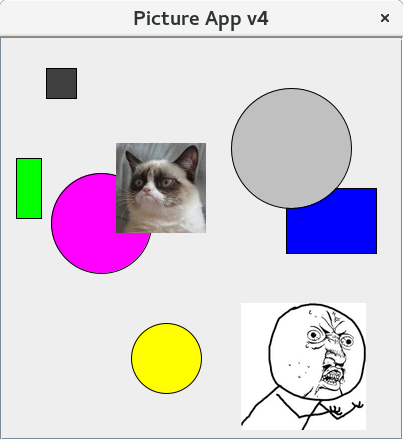
Main.kt. You can see here that the program creates a picture containing a mixture ofCircle,RectangleandImageobjects. -
Build and run the application with
./amper runYou should see a window appear on screen, containing shapes and images.